 Crawlerpad
 Aerodrome Finance
 Zylo Ecosystem
 Wisp
Wisp Pearl
Pearl Sonic
Sonic Quantus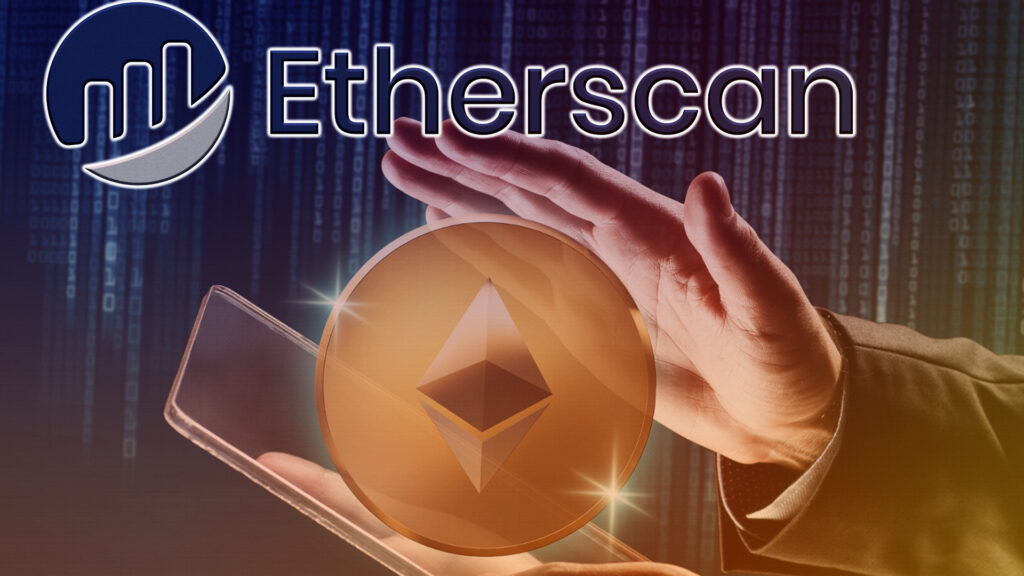
- Block explorers help people navigate easily through the enormous data present on public networks.
- Some popular blockchain explorers are Etherscan, BscScan, Blockchain.com, and Solscan.
Blockchains are public ledgers i.e. they keep a record of all the transactions made on the network and are accessible to everyone. Considering the number of transactions taking place on the Ethereum public blockchain, it will be a mess to locate a particular transaction, wallet address, or smart contract. To make this happen, block explorers are useful. They serve the same purpose as a search engine like Google. It connects the users with their requested input, in this case, the transaction or smart contract.
A public blockchain has block explorers like Etherscan for Ethereum, BscScan for BNB, Blockchain.com for Bitcoin, and Solscan for Solana. These explorers put forward an easy map of the entire network and the users can navigate through a simple interface, free of cost and without any account. However, users need to connect their wallets and avail of any cryptocurrency exchange to make these transactions. Creating a free Etherscan account provides users with some additional features like utilizing toolchains and alert notifications of income or expense among others. These block explorers are developed and maintained by dedicated community members who promise to make the network more decentralized.
How to Use Etherscan?
Etherscan can be used for various purposes like knowing the current gas price, the latest or pending transactions, beacon deposits, and beacon withdrawals. It also helps in exploring the top ERC-20-based tokens on the network and their price details, the latest NFTs minted, and even their buyers. The search bar in the Etherscan asks the users for an address, transaction hash, block hash, or domain name. Apart from all these, many users just use Etherscan to remain updated with the network.
- Checking Transactions
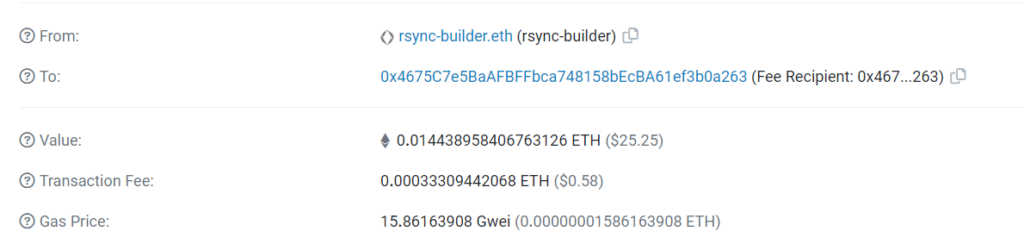
To find the details of a transaction like the current status, sender and receiver address, gas fees, and block number, the user needs to know the transaction hash or ID. Following this, they enter this string of characters into the search box and hit enter. A webpage with all the associated details will open.
Step 1:

Step 2:
- Checking Wallet Address
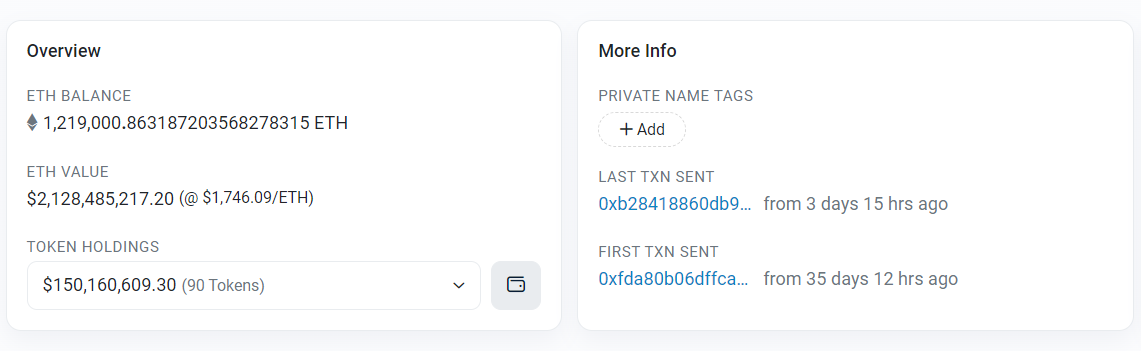
Etherscan can be used to check the ETH balance of any wallet and its past transactions. This is helpful particularly to keep track of the whale accounts, the ones who hold most tokens, and track their movements that can fluctuate the price of Ether. Users need to enter the wallet address in the search bar and press enter. Following this, a window with all the details will open up.
Step 1:

Step 2:
- Checking Smart Contracts
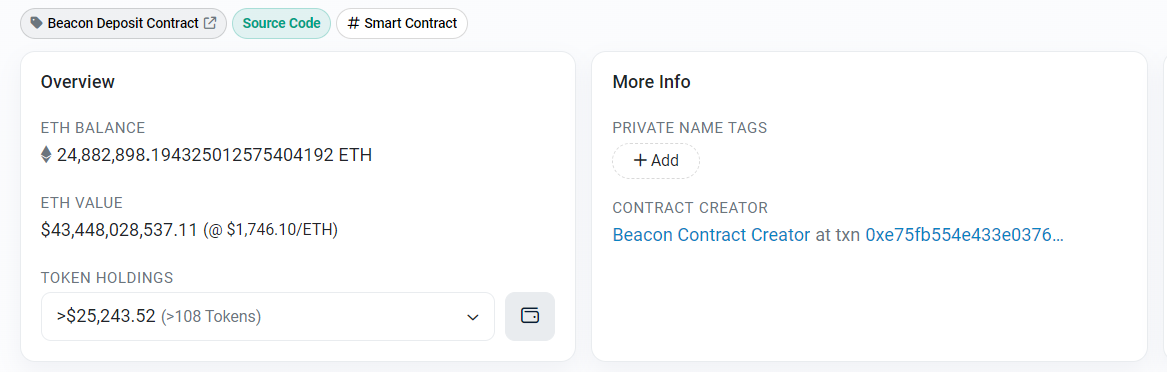
Smart contracts play an important role for users who are in regular contact with various dApps. Etherscan can help find the legitimacy of such contracts and protect users from malicious contracts. Smart contracts contain information like token logic, details on how the token was formed, and a code tab to access the source code of the contract. Users can also read and edit a smart contract and know what happens behind a transaction.

The users will then be required to paste the smart contact address in the search bar and a window with all the information will open.
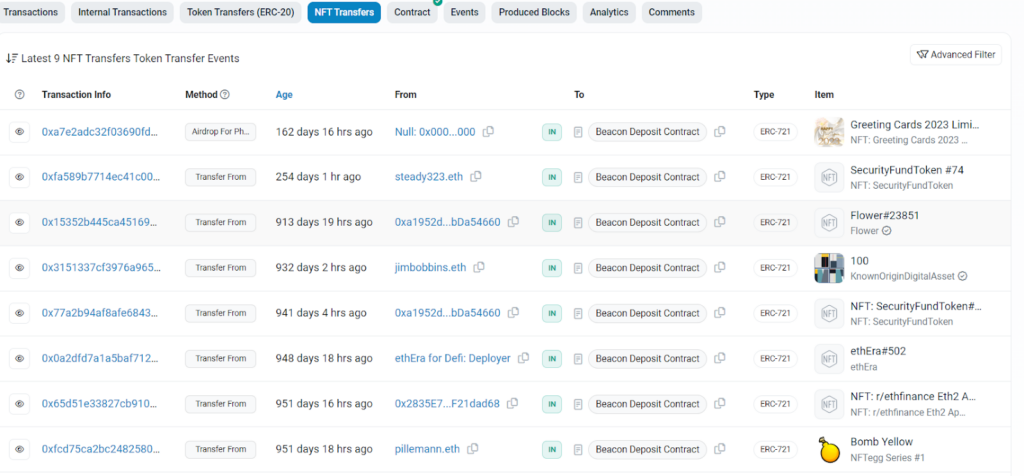
These smart contracts also help users to mint NFTs. It also keeps data on all the NFT transfers that occurred through the particular contract.
- Checking Gas Prices
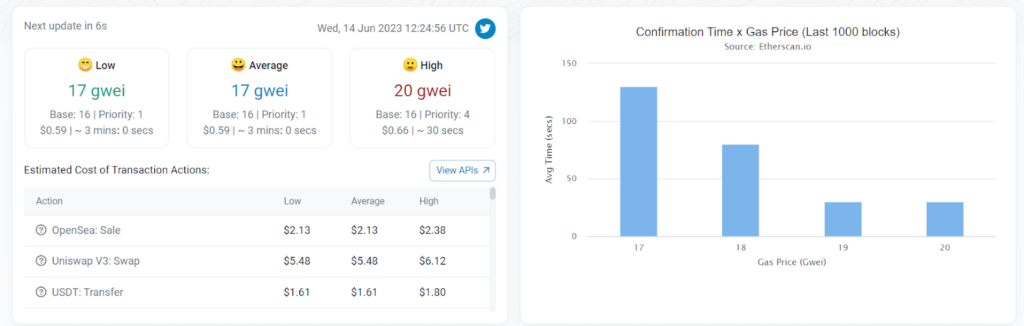
While making transactions, users need to pay a fee to the platform, known as the gas fee. This fee is not constant and depends on network congestion and traffic. Users can track the gas fees through a dedicated page, where the average gas fees for the last seven days and the latest transactions are mentioned. Users can choose the best time to make a transaction which will cost them fewer gas fees. Through Etherscan, a user can also predict roughly the gas fees charged for their transaction based on their amount and current network traffic.
Final Thoughts
Similar steps mentioned here can be followed for other blockchain explorers as well. These provide helpful insights into the network and users should be familiar with all their features. They can also help users to identify any potential vulnerability in their transactions or smart contracts.